In SHIFTA by Elisava you can easily change the language of the Virtual Campus to English (or the other way around) so that the entire interface, menus, and navigation contents appear in your preferred language.
How to change the language to English?
Follow these simple steps from your student account:
- Log in to the SHIFTA by Elisava Virtual Campus with your usual credentials.
- Click on your profile picture or username (usually located in the top right corner of the screen).
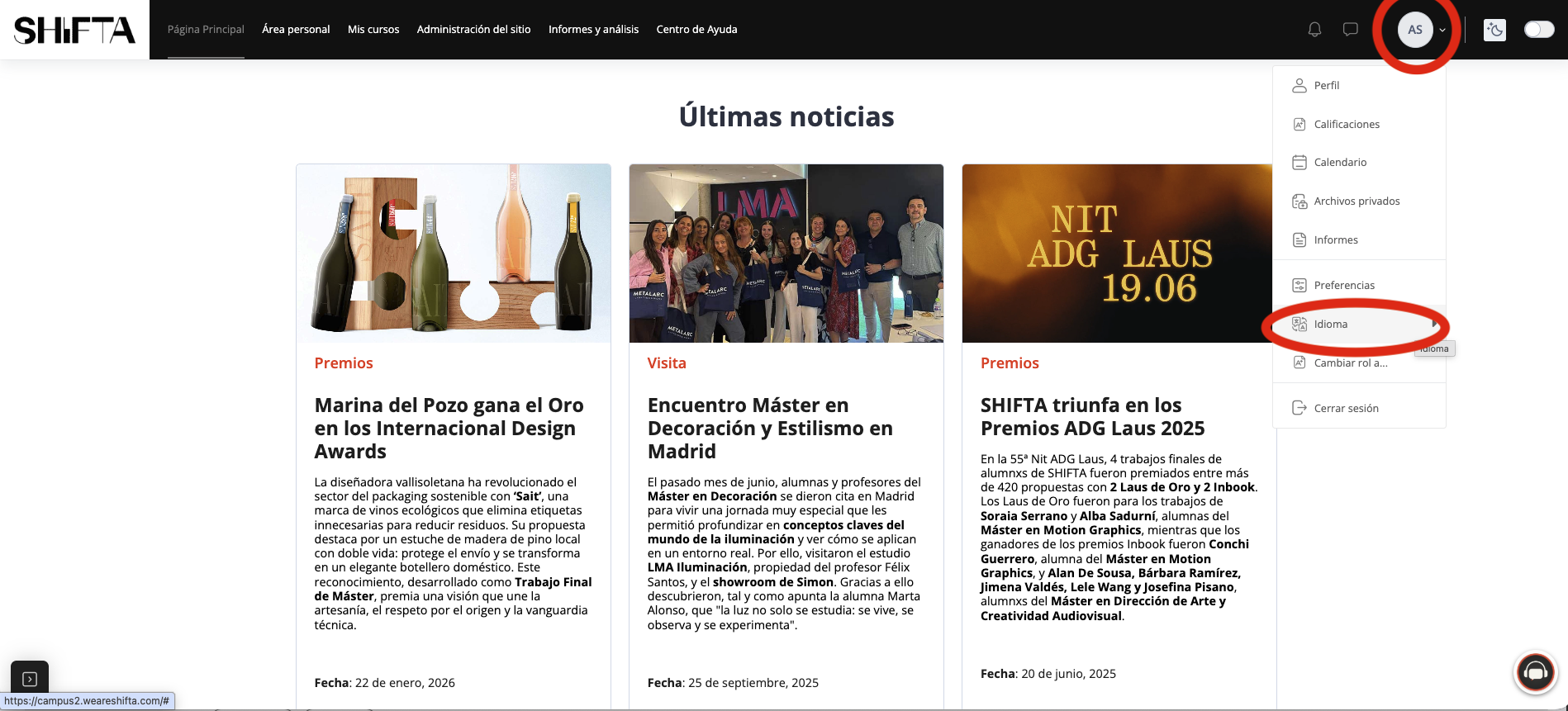
- Look for the section labelled “Idioma”, “Language”, or “Preferred Language”.
- In the dropdown menu, select “English”.
- The platform will automatically reload, and from now on, the interface will appear in English.
The language change only affects the platform interface (menus, buttons, general instructions). Specific course contents (activity texts, readings, videos, etc.) depend on the language in which the program is delivered. If your course is in Spanish, the main materials will remain in that language.
Was this article helpful?
That’s Great!
Thank you for your feedback
Sorry! We couldn't be helpful
Thank you for your feedback
Feedback sent
We appreciate your effort and will try to fix the article